










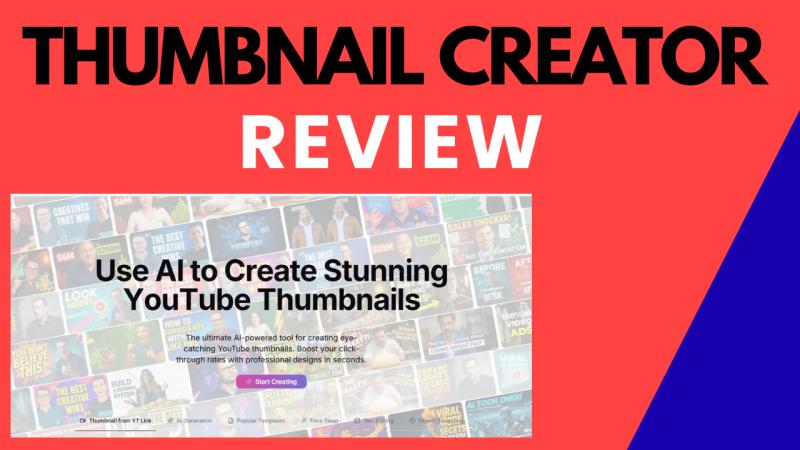
ThumbnailCreator.com Review (2026): Features, Pros & Cons – Is It Worth It? If you’re struggling to get clicks on your YouTube v
ThumbnailCreator.com Review (2026): Features, Pros & Cons – Is It Worth It?
If you’re struggling to get clicks on your YouTube videos, there’s a high chance the problem isn’t your content – it’s your thumbnail.
In 2026, YouTube has become more competitive than ever. Even great videos fail if the thumbnail doesn’t stop the scroll. That’s where ThumbnailCreator.com comes in.
In this in-depth ThumbnailCreator.com review, you’ll learn:
What Thumbnail Creator actually does
Its key features and real benefits
Pros and cons (honest breakdown)
Who it’s best for
Pricing overview
FAQs before you buy
Whether it’s worth using in 2026
Let’s dive in.
What Is ThumbnailCreator.com?
ThumbnailCreator.com is an AI-powered SaaS tool designed to create high-converting YouTube thumbnails in seconds – without Photoshop, Canva skills, or design experience.
Instead of manually designing thumbnails, the platform uses artificial intelligence to:
Analyze video content
Apply proven thumbnail design principles
Generate eye-catching, clickable thumbnails automatically
It’s built for:
YouTub-ers
Content creators
Marketers
Coaches
Businesses using YouTube for traffic and sales
The main goal is simple:
Increase click-through rate (CTR) by making thumbnails that people can’t ignore.
Why Thumbnails Matter More Than Ever in 2026
YouTube’s algorithm heavily favors:
Click-through rate (CTR)
Watch time
Engagement
Even if your video is perfectly optimized for SEO, a weak thumbnail kills performance.
Here’s why thumbnails are critical:
90% of top-performing videos use custom thumbnails
Thumbnails act as “visual headlines”
Better thumbnails = more clicks = more algorithm push
ThumbnailCreator.com focuses exactly on this problem.
Key Features of ThumbnailCreator.com
1. AI-Powered Thumbnail Generation
The core feature is its AI thumbnail engine.
You can:
Generate thumbnails from scratch
Create thumbnails from a YouTube video link
Instantly get multiple design variations
The AI understands:
Contrast
Facial expressions
Text placement
Color psychology
Visual hierarchy
This removes guesswork from thumbnail creation.
2. One-Click Thumbnail Creation (Seconds, Not Hours)
Traditional design tools require:
Templates
Layer editing
Fonts
Color adjustments
Thumbnail Creator simplifies everything.
You choose:
A style
A topic
A video or idea
👉 The tool generates a ready-to-use thumbnail in seconds.
Perfect for creators publishing daily or weekly.
3. Face Swap & Expression Optimization
Human faces dramatically increase CTR.
ThumbnailCreator.com includes:
AI face replacement
Expression enhancement (shock, excitement, curiosity)
Emotion-focused optimization
This is especially useful if:
You don’t like posing for thumbnails
You reuse older photos
You want consistent branding
4. Smart Text & Headline Placement
The AI automatically:
Writes short, bold thumbnail text
Places it for maximum visibility
Optimizes size and contrast for mobile screens
This is critical because:
Over 70% of YouTube views happen on mobile
Small text = lost clicks
5. Trending Thumbnail Styles
Thumbnail Creator constantly updates its models based on:
Viral YouTube thumbnails
High-CTR design patterns
Trending niches
This means your thumbnails stay modern, relevant, and competitive – without manual research.
6. No Design Skills Required
You don’t need:
Photoshop
Canva experience
Graphic design background
Everything is handled by AI.
This makes ThumbnailCreator.com ideal for:
Beginners
Faceless channels
Solo creators
Busy marketers
Try ThumbnailCreator.com today and upgrade your YouTube thumbnails instantly ➡️https://cutt.ly/YtkHyvEy
ThumbnailCreator.com Pros & Cons
✅ Pros
✔ Extremely fast thumbnail creation
✔ AI-optimized for clicks and CTR
✔ No design skills needed
✔ Saves hours per video
✔ Consistent professional look
✔ Great for beginners and pros
✔ Works for multiple niches
✔ Cloud-based (no downloads)
❌ Cons
✘ Monthly subscription required
✘ Limited customization compared to Photoshop
✘ Credit limits depending on plan
✘ Advanced users may want more manual control
👉 Overall: The pros heavily outweigh the cons for most YouTub-ers.
Pricing Overview (High-Level)
ThumbnailCreator.com offers tiered pricing plans, typically including:
Starter Plan – For new or small creators $29/Month
Creator Plan – For consistent YouTub-ers $49/Month
Team Plan – For agencies or multi-channel users $99/Month
✅ Note: Try annual plan to save 2 Months
Check More details ➡️https://cutt.ly/YtkHyvEy
Each plan includes:
Monthly AI thumbnail credits
Access to core AI features
Higher plans unlock advanced tools
💡 Pricing is reasonable compared to hiring designers or spending hours manually.
Who Should Use ThumbnailCreator.com?
This tool is perfect if you are:
✔ A YouTub-er struggling with low CTR
✔ Running a faceless or AI YouTube channel
✔ Publishing content consistently
✔ Promoting affiliate offers on YouTube
✔ A marketer using YouTube for traffic
✔ A coach or course creator
✔ Someone who hates graphic design
Who Might NOT Need It?
You may skip it if:
You already have a full-time designer
You enjoy manual thumbnail creation
You want pixel-level design control
Real Use Cases
📌 Affiliate Marketers
Create scroll-stopping thumbnails for:
Review videos
Tutorials
“Make money online” content
📌 Faceless YouTube Channels
Generate thumbnails without showing your face.
📌 Agencies
Produce thumbnails at scale for multiple clients.
📌 New YouTub-ers
Launch professionally without design skills.
Is ThumbnailCreator.com Worth It in 2026?
Yes – especially if your goal is growth.
ThumbnailCreator.com solves one of the biggest YouTube problems:
👉 Getting clicks.
Instead of:
Spending hours designing
Hiring expensive designers
Guessing what works
You let AI handle it – fast, consistent, and optimized for performance.
If you’re serious about:
Growing your YouTube channel
Increasing views
Improving CTR
Saving time
Then ThumbnailCreator.com is absolutely worth considering.
👉 Want to create viral-style YouTube thumbnails in seconds?
👉 Stop guessing and start converting clicks
Try ThumbnailCreator.com today and upgrade your YouTube thumbnails instantly ➡️https://cutt.ly/YtkHyvEy
Frequently Asked Questions (FAQs)
❓ Is ThumbnailCreator.com beginner-friendly?
Yes. It’s designed specifically for users with zero design experience.
❓ Can I use it for niches other than YouTube?
Yes. While optimized for YouTube, thumbnails can be adapted for:
Ads
Social media
Video platforms
❓ Does it work for faceless YouTube channels?
Absolutely. You don’t need to upload your own face.
❓ Is this better than Canva?
Canva is manual. ThumbnailCreator.com is AI-optimized for CTR, speed, and performance.
❓ Will AI thumbnails hurt my channel?
No. AI-generated thumbnails follow YouTube guidelines and improve engagement.
❓ Can it really increase CTR?
While results vary, better thumbnails almost always lead to higher click-through rates.
Try ThumbnailCreator.com today and upgrade your YouTube thumbnails instantly ➡️https://cutt.ly/YtkHyvEy
……………………………..
Siddhirganj
You are just One Funnel Away, Launch your First Or Next Funnel ➡️https://cutt.ly/launch_funnel
This release was published on openPR.


